Content Attributes
Is your washing machine not draining water after completing a wash cycle? Does water remain inside the drum even after the machine stops running? This problem can be frustrating, especially when your clothes are soaking wet and you need to finish your laundry.
The good news is that you can often fix a washing machine that is not draining water without replacing the appliance or calling a repair technician. Common causes include a clogged drain filter, a twisted drain hose, an overloaded drum, or a blockage in the drainage system.
Sometimes, the problem is more serious. A damaged drain pump, a faulty lid switch, or an electronic control problem can prevent your washing machine from emptying properly.
In this guide, you will learn how to fix washing machine not draining water problems using 12 practical troubleshooting methods. We will also explain how to manually remove standing water, identify common symptoms, troubleshoot different washing machine brands, and prevent future drainage problems.
Whether you own a top-load or front-load washing machine, start with the simple checks before considering expensive repairs.
Why Is My Washing Machine Not Draining Water?
A washing machine removes dirty water through a drainage system that includes a drain pump, a hose, and an outlet connected to your home’s plumbing.
During the draining stage, the pump pushes water out of the drum and through the drain hose. If something blocks the water flow or prevents the pump from operating, water may remain inside the machine.
Several problems can interrupt this process.
Common Causes of Washing Machine Drainage Problems
| Possible Cause | Common Symptoms | Recommended Solution |
|---|---|---|
| Clogged drain filter | Water remains inside the drum | Remove debris and clean the filter |
| Kinked drain hose | Slow or incomplete draining | Straighten the hose |
| Blocked drain hose | Little or no water exits | Clear the obstruction |
| Faulty drain pump | Buzzing, grinding, or no pumping | Inspect and seek repair if necessary |
| Overloaded washer | Cycle stops or clothes remain wet | Reduce the load and retry |
| Lid switch or door lock problem | Washer refuses to advance | Check for an obstruction or damaged lock |
| Household drain blockage | Water backs up or overflows | Clear the plumbing blockage |
| Excessive detergent | Heavy suds and delayed drainage | Use the correct amount of detergent |
| Incorrect drain hose installation | Water drains slowly or returns | Correct the hose position |
| Control or sensor malfunction | Repeated drainage error codes | Follow the model-specific troubleshooting guide |
A clogged filter or a blocked hose is generally easier to repair than an electrical or mechanical failure.
Quick tip: If your washer previously drained normally and suddenly stopped, check for trapped coins, lint, hairpins, socks, and other small objects before assuming the drain pump has failed.
What to Do Before Fixing a Washing Machine That Won’t Drain?
Before you start troubleshooting, take a few precautions.
A washing machine combines electricity, water, moving parts, and occasionally very hot wastewater. Ignoring safety precautions can cause injuries or additional appliance damage.
Step 1: Turn Off the Washing Machine
Press the power button to stop the current cycle.
If the machine is running, wait for the drum to stop rotating completely.
Do not attempt to force the washer door open while the machine is operating.
Step 2: Disconnect the Power
Unplug the washing machine from the electrical outlet.
If you cannot safely reach the plug, switch off the appropriate circuit breaker.
Never remove a service panel or disconnect a hose while the appliance is connected to electrical power.
Step 3: Turn Off the Water Supply
Close the water supply valves connected to the washing machine.
This helps prevent accidental filling while you inspect the drainage system.
Step 4: Allow Hot Water to Cool
If the washer recently completed a hot-water or sanitizing cycle, the water inside may be extremely hot.
Allow the water to cool before opening a drain filter or emergency drainage hose.
Step 5: Prepare the Necessary Tools
You may need:
- A shallow bucket or container
- Several old towels
- Waterproof gloves
- A flashlight
- A soft cleaning brush
- A screwdriver, if permitted by the manufacturer’s instructions
- A small sponge
- A container for collecting debris
Safety warning: Do not tilt a water-filled washing machine, bypass safety switches, touch internal wiring, or force open a locked front-loading door.
How to Fix Washing Machine Not Draining Water: 12 Step-by-Step Solutions
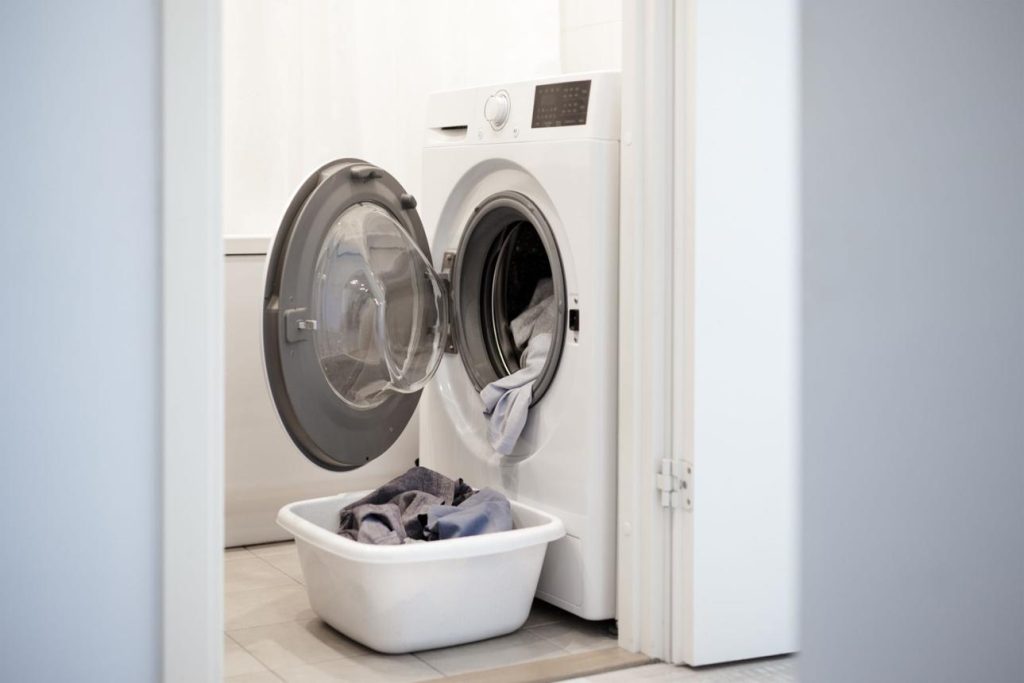
Try the following solutions in order. Begin with simple external checks and continue to more detailed inspections only if necessary.
Fix 1: Check the Washing Machine’s Drain and Spin Settings
Sometimes, the washing machine is not experiencing a mechanical problem.
The selected wash cycle may explain why clothes remain wetter than expected.
For example, delicate and gentle cycles often use lower spin speeds to protect clothing. These settings can leave more moisture in the fabric.
However, there is an important difference between wet clothes and standing water inside the drum.
If the drum is empty but the clothes are wet, the issue may be related to spinning rather than draining.
Step-by-Step Instructions
- Check whether the washing machine has completed its cycle.
- Look for any pause, rinse-hold, or no-spin settings.
- Review the selected spin speed.
- Make sure the door or lid is properly closed.
- If there is no active leak or electrical warning, select the Drain or Drain & Spin program.
- Watch whether water exits the machine.
If the washer drains normally, the previous cycle settings or a temporary interruption may have caused the problem.
If no water leaves the drum, continue to the next solution.
Example: You wash several delicate sweaters using a low-speed cycle. The machine finishes, but the clothes remain unusually wet. Selecting a suitable spin program may remove more moisture without requiring any mechanical repair.
Fix 2: Inspect the Drain Hose for Kinks or Bends
A bent drain hose is one of the easiest washing machine problems to identify.
The drain hose is usually located at the back of the appliance. It carries wastewater from the washing machine to a standpipe, laundry sink, or dedicated drainage connection.
If the washing machine is pushed too close to the wall, the hose may become crushed or twisted.
This restricts the flow of wastewater.
How to Check the Drain Hose
Step 1: Turn off and unplug the washing machine.
Step 2: Carefully inspect the space behind the appliance. Move it only if you can do so safely without straining the hoses or power cord.
Step 3: Locate the drainage hose.
Step 4: Look for sharp bends, twists, compression, or visible damage.
Step 5: Straighten any sections that are kinked.
Step 6: Make sure the hose is not trapped between the machine and the wall.
Step 7: Check that the hose is supported and installed according to your washer’s manual.
Step 8: Restore power and test the Drain cycle.
If the machine starts draining normally, the hose was likely restricting water flow.
Important: Never disconnect the drain hose from its connection to the washing machine unless the manufacturer’s instructions permit it. Depending on the design, removing it may release a large amount of water.
Fix 3: Clean the Washing Machine Drain Filter
A blocked drain filter is another common reason a front-load washing machine cannot empty.
Many front-loading washers have a removable pump filter near the bottom of the appliance.
Its purpose is to catch small objects before they reach the drain pump.
Over time, lint, coins, hair, buttons, and small pieces of fabric can collect inside the filter.
When the filter becomes clogged, water may drain slowly or remain inside the drum.
How to Clean the Drain Pump Filter
Step 1: Disconnect the power.
Unplug the washer and allow any hot water to cool.
Step 2: Locate the filter access panel.
On many front-loading washing machines, the panel is near the lower front corner. Check your user manual for the exact position.
Step 3: Place towels underneath the panel.
Keep a shallow container nearby to catch wastewater.
Step 4: Drain the remaining water.
If the appliance has a small emergency drain hose, remove its cap and let the water flow into the container.
Empty the container whenever necessary.
Step 5: Open the filter slowly.
After draining the water, carefully loosen the filter cap. On models without a separate emergency hose, loosen the filter gradually and collect the escaping water.
Do not immediately remove the entire filter from a machine full of water.
Step 6: Remove debris.
Take out any lint, coins, hair, buttons, or visible obstructions.
Step 7: Wash the filter.
Rinse the removable filter under running water. Use a soft brush to remove stubborn residue.
Step 8: Inspect the filter housing.
Use a flashlight to look for remaining debris inside the opening. Do not push your fingers into hidden openings.
Step 9: Reinstall the filter.
Secure the filter and emergency hose cap according to the manufacturer’s instructions.
Step 10: Test the machine.
Run a short drain program and look for leaks.
If the water drains correctly, the blocked filter was probably responsible.
What If My Top-Load Washer Has No Drain Filter?
Many top-loading washing machines do not have a user-accessible pump filter.
Some models include lint filters inside the washing tub, but these are not necessarily connected to the drain pump.
Do not remove the bottom or rear panels simply because you cannot find a filter.
Instead, check the model’s user manual or continue with the external troubleshooting methods.
Fix 4: Manually Drain the Washing Machine
If the washer is full of water, you may need to empty it before inspecting the drainage system.
Standing water can make the drum heavy and prevent some front-loading machines from unlocking.
Manual draining also reduces the chance of spilling water when you open a filter.
Method 1: Use the Emergency Drain Hose
Many front-load washers include a small emergency drain hose near the pump filter.
Follow these steps:
- Turn off and unplug the washing machine.
- Allow the water to cool.
- Place towels in front of the appliance.
- Open the lower service panel.
- Find the emergency drain hose.
- Position its end over a shallow container.
- Carefully remove the hose cap.
- Allow the water to flow into the container.
- Replace the cap temporarily whenever the container becomes full.
- Repeat until the water stops flowing.
- Secure the cap and return the hose to its holder.
This method usually offers more control than opening a full pump-filter compartment.
Method 2: Remove Water Using a Container
If your washing machine does not have an emergency drain hose, you may be able to remove accessible water manually.
- Disconnect the washer from electricity.
- Wait until the drum stops moving.
- If the lid opens safely, remove the wet clothes.
- Use a small container to scoop out the water.
- Transfer the water into a larger bucket.
- Use a sponge to absorb the remaining water.
This approach works especially well for top-load washing machines with accessible tubs.
Do not force open a locked front-load washer door.
Method 3: Use the Main Drain Hose
On some models, the main drain hose may allow gravity draining when lowered into a suitable container.
However, this does not work for every washing machine. Internal hose routing, valves, and pump design can prevent water from flowing by gravity.
Only use this method when the manufacturer’s manual supports it.
Helpful tip: Keep electrical plugs, outlets, and extension connections away from wastewater. If water reaches an electrical connection, stop and seek appropriate assistance.
Fix 5: Remove Blockages From the Drain Hose
Even when the hose looks straight, it may contain an internal blockage.
Small clothing items, lint, and detergent residue can collect in the hose over time.
This can reduce the amount of wastewater leaving the machine.
How to Clear a Blocked Drain Hose
Step 1: Switch off and unplug the washer.
Step 2: Drain the standing water using a safe method.
Step 3: Locate the end of the hose connected to the household drain.
Step 4: Place a bucket underneath the connection.
Step 5: Carefully remove the hose from the standpipe or drain connection if accessible and permitted.
Step 6: Look inside the accessible end of the hose for debris.
Step 7: If the hose is removable according to the manual, flush it with water to check for an obstruction.
Step 8: Remove visible debris without puncturing or damaging the hose.
Step 9: Reconnect the hose securely.
Step 10: Restore power and run a drain test.
Avoid forcing a sharp metal wire or screwdriver through the hose because it may puncture the material.
If the blockage cannot be removed safely, consult a technician.
Fix 6: Check the Household Drainpipe
A washing machine may be working correctly even when water does not leave the laundry area.
Sometimes, the actual problem is a blocked household drainpipe.
The washer may pump water out, but the plumbing cannot carry it away quickly enough.
As a result, wastewater may overflow from the standpipe or back up into the laundry sink.
Signs of a Blocked Household Drain
- Water rises inside the standpipe.
- The laundry sink fills during the drain cycle.
- Water spills onto the floor near the drainage connection.
- The washing machine pumps water, but wastewater backs up.
- Other nearby drains are also slow.
How to Check the Drainpipe
- Stop the washer if wastewater is overflowing.
- Unplug it and clean up standing water safely.
- Inspect the visible drain opening for debris.
- Check whether a nearby laundry sink also drains slowly.
- If accessible and safe, remove visible lint or debris from the drain opening.
- Follow the manufacturer’s instructions before testing the washer with its hose directed into a suitable container.
- If the washer pumps normally into the container but the standpipe backs up, investigate the household plumbing.
A plumber may be required if the blockage is deep inside the drainage system.
Important: Do not pour harsh chemical drain cleaners into the washing machine, its filter, or its drain hose. These products may damage appliance components and create hazards during servicing.
Fix 7: Inspect the Drain Pump for Obstructions
The drain pump is responsible for moving wastewater from the washing machine into the drainage system.
If the pump becomes jammed, water cannot leave the appliance efficiently.
Small objects such as hairpins, coins, or pieces of plastic may become trapped near the pump impeller.
The impeller is the rotating part that helps move water.
How to Check for a Jammed Pump
- Disconnect the washing machine from the electrical supply.
- Drain the remaining water.
- Remove the user-accessible pump filter if your model has one.
- Use a flashlight to inspect the opening behind the filter.
- Look for coins, hairpins, thread, or other visible objects.
- Remove accessible debris carefully using suitable tools.
- If the user manual permits it, check whether the visible impeller can move as expected.
- Reinstall the filter and test the washer.
Some pump impellers move in small magnetic steps rather than spinning completely freely. This can be normal.
Do not force the impeller or insert fingers into areas you cannot see.
How to Recognize a Possible Pump Failure
A failing pump may produce several symptoms.
Humming without water movement: The pump may be blocked or unable to turn properly.
Grinding or rattling: A foreign object may be touching the impeller, or the pump may have mechanical damage.
No pump sound: The pump may not be receiving power, or an electrical component may have failed. Silence alone does not prove that the pump is defective.
If the filter and accessible drain path are clear but the washer still cannot pump water, professional diagnosis is the safest next step.
Fix 8: Check for Overloading and Unbalanced Laundry
Overloading can interfere with normal washing machine operation.
When you place too many clothes inside the drum, the appliance may struggle to distribute the load evenly.
Some washing machines pause, slow down, or stop their spin cycle when they detect an unbalanced load.
This may leave clothes unusually wet and can sometimes make the cycle appear unfinished.
How to Fix an Overloaded Washing Machine
- Stop the washing machine.
- Wait until the drum stops.
- Open the lid or door only when it is safe and unlocked.
- Remove some clothing.
- Spread the remaining clothes evenly around the drum.
- Close the door or lid.
- Select an appropriate drain or spin program.
- Observe whether the machine completes the cycle.
Avoid washing one extremely heavy item by itself unless the manufacturer allows it.
For example, a large blanket can absorb considerable water and collect on one side of the drum, causing an imbalance.
However, if the washer contains a full tub of standing water, an unbalanced load is unlikely to be the only explanation. Continue checking the drainage system.
Fix 9: Examine the Door Lock or Lid Switch
Many washing machines use safety switches to confirm that the door or lid is properly closed.
If the appliance cannot confirm that the door is secure, it may refuse to begin or complete certain stages of the wash cycle.
The exact behavior depends on the model.
How to Identify a Door Lock Problem
Common symptoms include:
- The washer does not start the selected cycle.
- The display shows a door or lid error.
- The machine stops before spinning.
- The door lock indicator flashes.
- The washer repeatedly tries to lock the door.
Step-by-Step Troubleshooting
Step 1: Turn off the washing machine.
Step 2: Check for clothing trapped in the door seal.
Step 3: Remove any obstruction.
Step 4: Inspect the visible door latch or lid striker for damage.
Step 5: Close the door firmly without slamming it.
Step 6: Restore power and select an appropriate program.
Step 7: Check whether the door locks and the cycle advances normally.
If the latch is cracked, the door cannot close properly, or the lock error continues, contact an appliance technician.
Never bypass a door lock or lid safety switch.
Fix 10: Correct the Drain Hose Installation
An incorrectly installed drain hose can cause repeated drainage problems.
If the hose is positioned too high, the pump may struggle to move wastewater into the drain.
If the hose is inserted too far into the standpipe or sealed airtight, the installation may cause siphoning, poor drainage, or water-flow problems.
Different washing machine manufacturers specify different installation measurements.
How to Check the Installation
- Locate the washing machine’s model number.
- Find its installation instructions.
- Check the recommended drain hose height.
- Measure the actual height of the drain outlet.
- Check how far the hose extends into the standpipe.
- Confirm that the hose is secured with the recommended holder.
- Make sure the standpipe connection is not improperly sealed.
- Check for unnecessary hose extensions.
- Correct the installation according to the manual.
- Run a test cycle.
Do not assume that one brand’s installation measurements apply to another washing machine.
For example, Samsung and Whirlpool publish different standpipe insertion guidance for certain models.
Following your washer’s specific installation instructions is more reliable than using a universal hose-height measurement.
Fix 11: Check for Excessive Detergent and Suds
Using too much detergent can create excessive foam inside a washing machine.
This problem is particularly relevant to high-efficiency washers, which are designed to operate with controlled water and detergent levels.
Excessive suds can interfere with rinsing, spinning, or drainage monitoring.
Some machines automatically extend the cycle to reduce the foam.
How to Fix Excessive Suds
- Stop adding detergent.
- Check the detergent type recommended by the manufacturer.
- Look for excessive foam inside the drum.
- Follow the washer’s instructions for resolving a suds condition.
- Run an appropriate rinse or drain program if the machine permits it.
- Reduce the detergent amount during future washes.
- Use high-efficiency detergent when the appliance requires it.
The amount of detergent needed depends on laundry size, soil level, water hardness, and detergent concentration.
More detergent does not necessarily produce cleaner clothes.
In fact, excessive detergent may leave residue on clothing and inside the machine.
Fix 12: Reset the Washer and Check for Electronic Problems
Occasionally, a temporary control error can interrupt a washing machine cycle.
A brief power interruption or an incorrectly registered sensor signal may cause the washer to stop before draining.
However, resetting the machine will not remove a physical blockage or repair a damaged drain pump.
How to Reset a Washing Machine
- Stop the current cycle.
- Turn off the appliance.
- Unplug it from the electrical outlet.
- Follow the reset or power-cycling instructions in the owner’s manual.
- Reconnect the power.
- Select the Drain or Drain & Spin program.
- Check whether the washer responds normally.
Some washers have a dedicated reset procedure, while others do not.
If a drainage error repeatedly returns after a successful reset, further diagnosis may be required.
Possible causes include a defective pump, damaged wiring, a faulty water-level sensor, or an electronic control failure.
These problems are best handled by a qualified repair technician.
How to Fix a Front-Load Washing Machine Not Draining Water
Front-loading washing machines commonly include a pump-filter access area near the bottom front.
If your front-load washer is holding water, use this troubleshooting order:
- Check the display for an error code.
- Stop the cycle and disconnect the power.
- Allow hot water to cool.
- Inspect the external drain hose.
- Drain the water using the emergency hose if your model has one.
- Clean the accessible pump filter.
- Inspect the filter housing for visible debris.
- Reinstall all parts securely.
- Run a drain test.
- Contact a technician if water still does not leave the drum.
What If the Front-Load Washer Door Won’t Open?
Many front-load washing machines automatically lock the door while water remains inside.
This is a safety feature designed to prevent flooding.
Do not pull or force the handle.
Instead, follow the manufacturer’s emergency draining instructions.
Some models also provide an emergency door-release procedure, but this should only be used after draining and when permitted by the manual.
If you cannot safely drain the appliance, contact the manufacturer or a qualified technician.
How to Fix a Top-Load Washing Machine Not Draining Water
Top-loading washing machines have different internal arrangements.
Some have accessible lint filters, but many do not include a removable pump filter.
Top-load washers may also have lid-lock systems and load-balance controls that affect cycle operation.
Step-by-Step Troubleshooting for Top-Load Washers
Step 1: Check whether the lid closes and locks correctly.
Step 2: Confirm that the selected cycle has finished.
Step 3: Inspect the drain hose behind the washer.
Step 4: Look for bends, kinks, or incorrect hose positioning.
Step 5: Check whether the household drain is blocked.
Step 6: If there is standing water, remove it using an approved manual-draining method.
Step 7: Check for excessive laundry or an unbalanced load.
Step 8: Run an appropriate drain cycle after restoring power.
Step 9: Listen for unusual pump sounds.
Step 10: Seek professional repair if the washer still cannot drain.
If the washer makes a buzzing sound but no water exits, a clogged drain path or pump problem is possible.
If there is no sound and the machine does not advance, a lid-lock, control, or electrical fault may need investigation.
Do not dismantle the appliance without the appropriate service instructions.
Washing Machine Not Draining Water: Brand-Specific Troubleshooting
Different brands use different error codes, filters, drain hose requirements, and control systems.
Before performing repairs, check the model number and user manual.
LG Washing Machine Not Draining Water
Many LG washing machines display an OE error code when a drainage problem occurs.
Possible causes include:
- Blocked drain pump filter
- Kinked drain hose
- Clogged drainage path
- Frozen drain hose
- Drain pump problems
Start by checking the drain hose and cleaning the user-accessible filter if one is fitted.
If the OE error remains after the drain path has been cleared, arrange a service inspection.
Samsung Washing Machine Not Draining Water
Samsung washing machines may show a 5C, 5E, or other model-specific drainage error.
The appropriate code depends on the washer model.
Check the drain hose installation, household drainage system, and pump filter if your machine has one.
For many Samsung top-load models, the front-loader pump-filter cleaning process does not apply.
If the machine recently used hot water, allow it to cool before draining.
Whirlpool Washing Machine Not Draining
Whirlpool washing machines may experience drainage problems because of:
- Kinked drain hoses
- Incorrect hose installation
- Household drain blockages
- Excessive suds
- Cycle or spin-setting issues
First, determine whether water is standing in the tub or the clothes are simply too wet.
Then inspect the drain hose and check the selected settings.
Bosch Washing Machine Not Draining Water
Some Bosch washers display an E18 or F18 code when a drain-related problem occurs.
Check your specific model’s error-code guide.
Common troubleshooting steps include draining the remaining water, cleaning the pump-filter compartment, checking for debris, and inspecting the drain hose.
If these actions do not work, professional service may be necessary.
GE Washing Machine Not Draining
For GE Appliances washing machines, begin by checking the selected cycle, drain hose, and household drain.
Confirm that the door or lid operates correctly.
Check the owner’s manual for the correct filter maintenance procedure, because filter access varies between models.
If the washer still contains water after the basic checks, a pump or control-system issue may require further diagnosis.
Washing Machine Not Draining vs. Not Spinning: What Is the Difference?
Many people use the terms “not draining” and “not spinning” to describe the same problem.
However, they are not identical.
Not draining means the washing machine cannot remove water from the drum or tub.
Not spinning means the washing machine cannot rotate the drum at the expected speed to remove water from clothing.
A machine may experience either problem independently, or both problems together.
| Symptom | More Likely Problem | First Check |
|---|---|---|
| Drum remains full of water | Drain blockage or pump issue | Filter and drain hose |
| Drum is empty, but clothes are soaking wet | Spin setting or spin fault | Cycle settings and load balance |
| Machine drains but will not spin | Door lock, imbalance, or drive issue | Door and load |
| Water drains very slowly | Partial blockage or installation issue | Hose, filter, and standpipe |
| Machine stops with water inside | Drain fault or cycle interruption | Display code and pump |
| Water returns after draining | Household drain or hose installation | Standpipe and drain connection |
Identifying the correct symptom can prevent unnecessary repairs.
How to Diagnose a Washing Machine Drain Pump by Its Sound
The sounds your washing machine makes can provide useful clues.
However, sound alone cannot confirm that a particular component is defective.
1. Humming Sound
If you hear humming while the machine attempts to drain but no water exits, the pump may be obstructed or struggling to operate.
Check the accessible filter and drain path.
2. Grinding Sound
Grinding or rattling can occur when debris comes into contact with a moving pump component.
Stop the machine and inspect the user-accessible filter after disconnecting the power.
3. No Pump Sound
If the machine remains silent during the expected drain stage, the cycle may not have advanced, or a component may not be operating.
Possible causes include an interrupted cycle, a control problem, or a faulty pump.
4. Pump Runs but Water Drains Slowly
This may indicate a partial restriction in the hose, filter, or household drain.
Check for blockages and correct installation.
5. Repeated Clicking
Clicking may come from a door lock, relay, or another operating component.
If the machine repeatedly clicks without starting the drain cycle, check for displayed errors and consult the manual.
How Much Does It Cost to Fix a Washing Machine That Won’t Drain?
Repair costs depend on the brand, age, location, required parts, and technician’s labor charges.
Some problems can be resolved with simple maintenance, while others require replacement components.
| Repair Type | Typical Cost Considerations | DIY Difficulty |
|---|---|---|
| Straightening a drain hose | Usually no replacement part needed | Easy |
| Cleaning a drain filter | Usually basic maintenance supplies | Easy |
| Removing an accessible hose blockage | May require cleaning tools | Easy to moderate |
| Replacing a damaged drain hose | Hose, clamps, and possible labor | Moderate |
| Replacing a drain pump | Model-specific part and labor | Advanced |
| Repairing a lid-lock assembly | Replacement component and labor | Advanced |
| Repairing electronic controls | Diagnosis, parts, and labor | Professional |
Request a written estimate before approving a repair.
If the appliance is relatively new, check its warranty status first.
Repairs involving internal wiring, pump replacement, or electronic control boards generally require technical knowledge.
When Should You Call a Washing Machine Repair Technician?
Not every washing machine drainage issue can be repaired at home.
Contact a qualified technician if:
- The washer still does not drain after the accessible filter and hose are checked.
- The drain pump repeatedly makes unusual grinding noises.
- You notice a burning smell.
- The machine leaks near electrical components.
- The circuit breaker repeatedly trips.
- A door-lock or drainage error continues returning.
- The machine requires internal electrical testing.
- The drain pump may need replacement.
- The appliance is under warranty and unauthorized repairs could affect coverage.
If wastewater backs up from the household standpipe or other plumbing fixtures, contact a plumber instead.
Important: If you notice smoke, sparks, electrical arcing, or a burning smell, stop using the appliance immediately and disconnect power only if it is safe to do so.
How to Prevent Washing Machine Drainage Problems?
Regular maintenance can reduce the risk of a washing machine becoming blocked.
You do not need to disassemble the appliance to keep the drainage system working correctly.
1. Clean the Drain Filter Regularly
If your washing machine has a user-accessible pump filter, inspect it according to the manufacturer’s recommendations.
Some manufacturers recommend cleaning every one to three months, depending on the model and usage.
Remove trapped lint, hair, and small objects.
2. Check Clothing Pockets
Coins, screws, tissues, and hair accessories can enter the washing machine during a wash.
Always empty pockets before placing clothes in the drum.
3. Avoid Overloading
Follow the recommended load capacity.
Overloading can contribute to unbalanced loads and interrupted cycles.
4. Use the Correct Detergent
Use the detergent type and quantity recommended for your washer.
If the machine requires HE detergent, avoid using regular detergent.
5. Inspect the Drain Hose
Check the visible drain hose periodically for damage, bends, and compression.
Make sure the washer has enough clearance behind it.
6. Follow the Recommended Cleaning Schedule
Run the washing machine’s cleaning or maintenance program as instructed by the manufacturer.
Avoid mixing cleaning chemicals.
7. Keep the Household Drain Clear
Check the laundry sink or standpipe for slow drainage.
Address plumbing problems before they cause wastewater to overflow.
8. Respond to Error Codes Early
If the washer displays a drainage error, identify the code before repeatedly restarting the machine.
Continuing to run a blocked appliance may worsen the problem.
Recommended Maintenance Schedule
| Maintenance Task | Suggested Frequency |
|---|---|
| Empty clothing pockets | Before every wash |
| Check for unusual noises | During regular use |
| Inspect the visible drain hose | Monthly |
| Clean the pump filter, if fitted | According to the manual |
| Clean the washing machine | According to the manual |
| Check the laundry drain for slow flow | Every few months |
| Inspect hoses for wear or leaks | Periodically and after moving the washer |
The manufacturer’s instructions should always take priority over a general maintenance schedule.
Frequently Asked Questions About Washing Machines Not Draining Water
A washing machine may remain full of water because of a clogged drain filter, blocked hose, faulty drain pump, or interrupted wash cycle. Start by checking the display, drain hose, and accessible pump filter.
If the washer is functioning safely, select the Drain or Drain & Spin program. If the machine cannot pump water out, switch off and unplug it before using the manufacturer’s approved emergency draining procedure. Never force the door open.
Yes. A clogged pump filter can restrict water flow and prevent the machine from emptying properly. Cleaning the filter often restores normal drainage when trapped debris is the cause.
A humming sound may indicate that the drain pump is operating against a blockage or is unable to turn correctly. Inspect the accessible filter and hose. If the problem continues, professional pump diagnosis may be required.
Possible signs include repeated drainage failures, unusual noises, and poor water movement even when the accessible drain path is clear. A technician can test the pump and its electrical supply to determine whether replacement is necessary.
A blocked drain path may prevent the machine from advancing to the spin stage. Other possibilities include an unbalanced load, door-lock issue, or interrupted cycle. Check whether water is actually standing in the drum before diagnosing the spin system.
Excessive detergent can create heavy suds that interfere with normal cycle operation. Use the correct detergent and measure it according to the manufacturer’s instructions.
Slow drainage often indicates a partial blockage in the filter, drain hose, or household plumbing. Incorrect hose installation can also restrict drainage.
Some front-load machines allow controlled draining through the pump-filter opening. On a top-load machine with an accessible tub, you may be able to scoop out water using a container. Always disconnect power first and follow the user manual.
Do not put chemical drain cleaners into the washer, filter, or drain hose. They can damage components and create safety hazards. If the household drain is blocked, use an appropriate plumbing solution or consult a plumber.
Water may return because of a plumbing backup, drain hose installation problem, or another drainage-system issue. Check the standpipe, hose position, and nearby drains.
On compatible Samsung models, 5C indicates a drainage-related problem. Inspect the drain hose, filter if fitted, and household drain. Refer to your model’s error-code documentation for the correct procedure.
An OE code on many LG washing machines indicates a drainage problem. Possible causes include a clogged drain filter, bent hose, frozen drainage path, or pump malfunction.
Unplugging the washer may clear some temporary control faults after the manufacturer’s reset procedure. However, it will not remove physical blockages or repair broken mechanical components.
A trained person with the correct service instructions may be able to replace a drain pump. However, the repair involves internal appliance components and may require electrical testing. If you lack the required experience, hire a qualified technician.
Possible reasons include a drain blockage, pump malfunction, lid-lock problem, or interrupted cycle. Check the drain hose, displayed error codes, and lid operation before requesting service.
Cleaning frequency depends on the brand and model. Follow the manufacturer’s recommended schedule and inspect the filter sooner if you notice slow draining or repeated error codes.
Not necessarily. Many drainage problems involve simple blockages or installation issues. Have the appliance diagnosed and compare the repair estimate with the cost and condition of a replacement machine before deciding.
Final Thoughts
Learning how to fix washing machine not draining water problems can help you avoid unnecessary repair expenses and get your laundry routine back to normal.
Start with the simplest possibilities: check the selected cycle, inspect the drain hose, and look for visible blockages.
If your washing machine has an accessible pump filter, safely drain any standing water before cleaning it.
Next, investigate the household drain, installation height, load balance, and any error codes displayed by the machine.
For most homeowners, the best approach is to identify the symptom, safely remove standing water, check the accessible drainage components, and test the washer before considering internal repairs.
If the washing machine still cannot drain after these checks, contact a qualified appliance repair technician. Professional diagnosis can help identify pump failures, electrical faults, and other problems that require specialized tools.
Regular filter cleaning, careful loading, correct detergent use, and occasional hose inspections can also help reduce future drainage problems.
With the right troubleshooting process, you can often restore normal washing machine drainage safely and efficiently.





Leave a Reply
You must be logged in to post a comment.